GitHub gives you 160 characters to say who you are. Those 160 characters appear in search results, on organization pages, in pull request sidebars, and as the first line anyone reads before deciding whether to click your profile.
Most developers leave the bio blank, or write something like "passionate full-stack developer who loves learning." That's a mistake — and an increasingly costly one. According to recruiting research compiled by Pin.com, 87% of technical recruiters now check candidates' GitHub profiles before making interview decisions, and developers with complete profiles receive 40% more interview callbacks than those without.
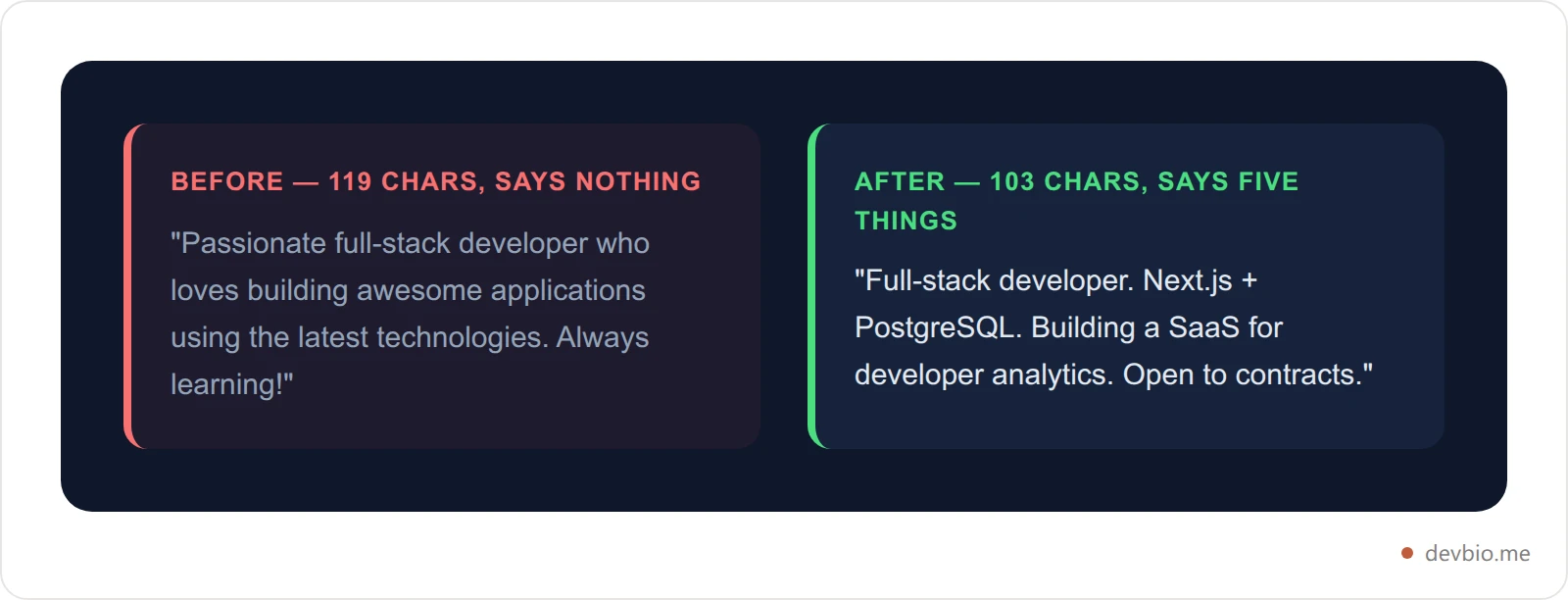
What to write in your GitHub profile bio: your current role, the two or three technologies you actually work in, and what you're building right now. That formula is behind every example below. The field itself holds 160 characters of plain text and emoji — no markdown, no clickable links, no formatting.
This guide covers exactly what to put in those 160 characters: the CRAFT framework for writing one that actually works, 50+ real examples by developer type, the seven most common mistakes with before/after fixes, and what to link to when GitHub gives you one outbound click.
Table of Contents#
What a GitHub Profile Bio Is (and What It's Not)#
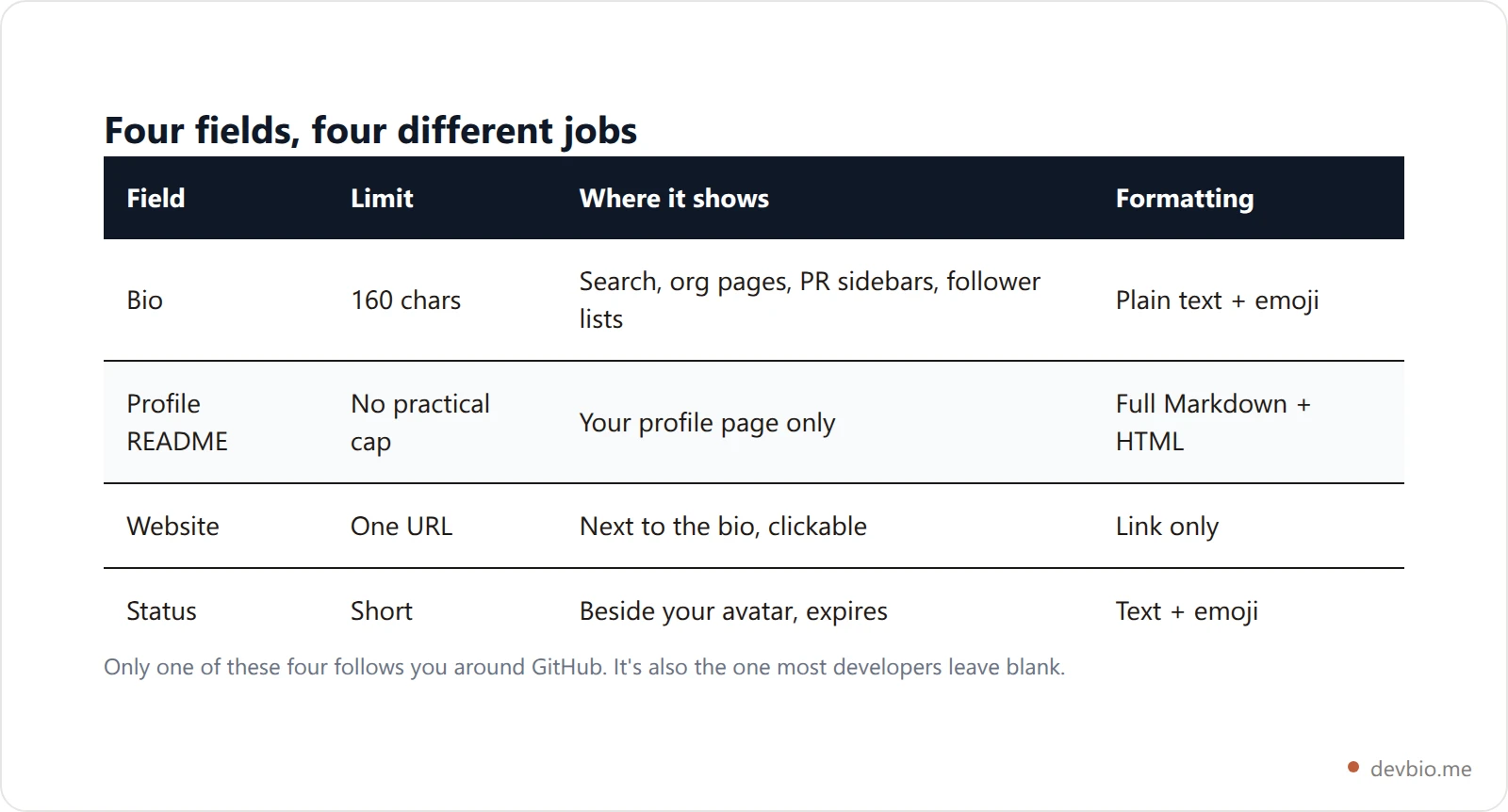
The bio sits directly below your name and username on your GitHub profile. Hard cap: 160 characters. No markdown, no clickable links, no formatting — just plain text and, if you want, an emoji. (For a full breakdown of how that cap is counted — including why a single emoji can cost several characters — see the GitHub bio character limit explained.)
It is not the same as your profile README. The README is the markdown card at the top of your profile page — it can hold code blocks, stats widgets, images, and tables. The bio appears everywhere the README doesn't: GitHub search results, organization member pages, follower lists, and the reviewer sidebar on every pull request you open.
Think of it this way: the bio is the hook; the README is the line. If the hook doesn't work, nobody reads the line.
GitHub also gives you a separate Website field (one clickable outbound link) and a Status (short, ephemeral text next to your avatar). The status expires. The bio is permanent, indexed, and the first thing seen in search.
Why Your GitHub Bio Matters More Than You Think#
There are now 180 million developers on GitHub. According to the GitHub Octoverse 2025 report, more than 36.2 million new engineers joined the platform in 2025 alone — roughly one per second. On a platform this size, the bio is often what separates a profile that earns a click from one that gets scrolled past.
The bio is the first text a recruiter or collaborator sees when they find you in search. A 2025 Beamery study found 83% of technical hiring managers trust GitHub profiles more than traditional resumes. Separately, 73% of hiring managers say a strong GitHub profile can compensate for a lack of formal credentials — and developers with well-documented projects receive offers averaging 23% higher than those without. According to phData, GitHub increasingly matters more to technical hiring decisions than where you went to school.
Your bio shows up in contexts most developers never consider:
GitHub search — bio text is indexed alongside your username; it surfaces when someone searches a skill or technology
Organization member pages — every org you belong to shows your avatar and bio
Pull request sidebars — every reviewer on every PR you open sees your bio next to your commits
Follower and following lists — the passive discovery surface where other developers find you
The README gets seen when someone actively lands on your profile. The bio works passively, everywhere, all the time. It's the most underrated 160 characters in your developer presence.
The CRAFT Framework — 160 Characters That Actually Work#
Most GitHub bio advice boils down to "be professional and mention your skills." Useful in theory, useless in practice. Here's a framework you can apply directly: CRAFT.
C — Current role. What you build and where. "Backend engineer at Vercel" or "Founder building devtools" tells anyone immediately who they're looking at. Be specific: "software engineer" at a 100-person company is noise. "Platform engineer building Kubernetes tooling" is signal.
R — Real stack. Two or three technologies — not fifteen. "TypeScript, Rust, PostgreSQL" is specific and credible. Listing twenty languages signals you know none of them deeply. Pick the ones you do your best work in, not the ones you learned in a bootcamp.
A — Active interest. What are you building or learning right now? This is what makes a bio feel alive rather than a static label from two years ago. "Currently: distributed systems" or "shipping an open-source RAG library" adds real context.
F — Focus / niche. Your specific angle within your role. "APIs that handle 10M+ requests/day" or "accessibility-first frontend" or "solopreneur building in public" — a niche beats a generic title every time. Niches are memorable; generic titles aren't.
T — Trail. One outbound link — but not in the bio itself (the field doesn't support links). Use GitHub's Website field for this. The bio's job is to make someone want to follow the trail; the Website field is where the trail goes.
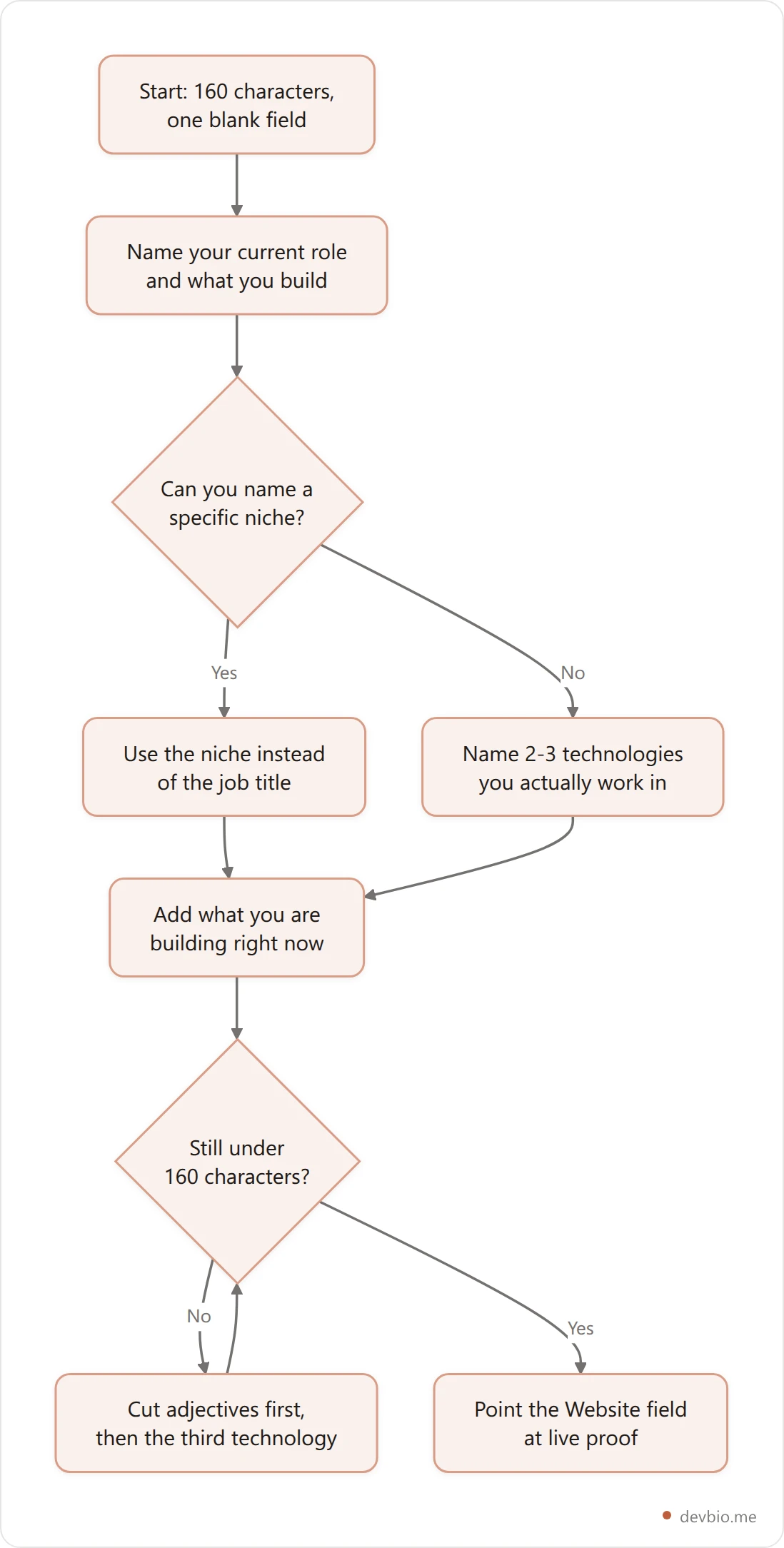
You don't need all five elements. Pick three that honestly describe where you are right now and fit inside 160 characters. The base formula: [Role] + [Stack or niche] + [Active interest or what you're building].
Here's the same developer written three ways:
Version | Bio |
|---|---|
Generic | "Passionate full-stack developer who loves building amazing things" |
Better | "Full-stack developer. React, Node.js. Building SaaS tools." |
CRAFT | "Full-stack dev. Next.js + PostgreSQL. Building a SaaS for developer analytics. Open to contracts." |
The CRAFT version says more, cuts the filler, and still fits in 160 characters. Every word is specific enough that the right reader immediately knows whether this is someone they want to talk to.
Your bio earns the click. What's behind it?
DevBio turns your GitHub activity, projects and revenue into a profile that updates itself — so the link in your bio still tells the truth next quarter.
See a live dev bio54 GitHub Bio Examples by Developer Type#
These are starting points — change the stack, company, and project to match your actual situation. The best bio is honest, not borrowed. Copy one, then replace every noun in it with something true about you.
Frontend Developers#
Full-stack leaning frontend. React + TypeScript. Building UI systems that scale.
Frontend engineer. Next.js, Tailwind. Accessibility is not optional.
UI engineer. Component libraries, animation, performance. Open to contract work.
React developer obsessed with rendering speed. Core Web Vitals nerd.
Frontend dev. Svelte, TypeScript. Building fast, tiny apps. OSS contributor.
Design systems lead. Figma to code. Design tokens, component APIs, zero-config theming.
Backend and API Developers#
Backend engineer. Go, PostgreSQL, gRPC. Building APIs that don't fall over.
Platform engineer. Rust, distributed systems. Latency is a feature, not a footnote.
API-first developer. Node.js, Redis, OpenAPI. Making services composable.
Python backend developer. FastAPI, Celery, Postgres. Building data pipelines for fintech.
Backend engineer. Java, Spring Boot, Kafka. 10+ years. Now learning Rust.
Backend dev. TypeScript, Prisma, tRPC. Full-stack when required. Building in public.
Full-Stack and Generalist Developers#
Full-stack developer. React + Node + Postgres. Shipped to 100K+ users.
Full-stack eng. Next.js, Supabase, TypeScript. I handle both sides of the API.
Full-stack developer with a backend bias. Building SaaS products since 2019.
Generalist developer. I care about the product, not just the code.
Full-stack freelancer. Available for projects that ship in 4 weeks or less.
Full-stack dev. I build the thing, write the docs, and answer the support tickets.
Open Source Maintainers#
Maintainer of [ProjectName] (12K stars). TypeScript, Node.js. Patches welcome.
OSS developer. Building a React library for headless data tables. 8K users.
Open source contributor and maintainer. CLI tools, Rust, Linux.
Core contributor to [framework]. Working on v3. DMs open for sponsorship.
OSS-first. Everything I build ships publicly. Judge the work, not the claims.
Building open source devtools. Sponsor my work to keep it free and maintained.
Indie Hackers and Founders#
Indie hacker. 3 products shipped. $2.4K MRR. Building in public.
Solo founder. TypeScript + Next.js. Product A: $5K MRR. Product B: in beta.
Developer turned founder. Building SaaS tools for developers. Revenue transparent.
Indie dev. I build, ship, and share the numbers. No stealth mode.
Solopreneur. 2 SaaS products, 1 mobile app. $3.8K MRR combined.
Maker of small software. Ship early, learn fast, share everything publicly.
Freelancers and Contractors#
Freelance backend developer. Golang, AWS, Terraform. Available from July 2026.
Contract full-stack developer. React + Node.js. 6 years. Let's talk.
Freelance developer specializing in performance optimization. Portfolio below.
Available for contract work. Node.js, Python, PostgreSQL. DM or email.
Freelance mobile developer. React Native. 80+ apps shipped across iOS and Android.
Independent developer. I work with startups on their first production-grade product.
Students and Recent Graduates#
CS student. Building real things, not just coursework.
Final-year CS undergrad. Focused on systems programming and distributed systems.
Recent CS graduate. Looking for my first backend role. TypeScript + Go.
Engineering student. I don't wait to graduate before shipping products.
Sophomore studying CS. Obsessed with compilers and programming languages.
New grad. Backend + cloud. Open to junior roles in developer tooling.
DevOps, SRE, and Platform Engineering#
SRE. On-call so you don't have to be. Observability, incident management, Kubernetes.
Platform engineer. Kubernetes, Terraform, GitHub Actions. Opinionated about infra.
DevOps engineer. CI/CD, containers, GitOps. Making deploys boring by design.
Cloud engineer. AWS, multi-cloud. FinOps practitioner.
Infrastructure engineer. IaC-first. Terraform, Pulumi, Helm. Loves a clean pipeline.
Site reliability engineer. I make systems observable, scalable, and less scary to own.
Security, ML, and AI Engineers#
Security engineer. Pentest, AppSec, threat modeling. OWASP contributor.
ML engineer. PyTorch, Python, transformers. Research to production pipeline.
AI engineer. LLMs, RAG, vector databases. Building and shipping, not just theorizing.
AppSec engineer. I find the bugs before the CVE gets filed.
Data scientist turned ML engineer. Python, SQL, Spark. Deploying models to production since 2021.
AI infra engineer. Inference optimization, GPU clusters, model serving at scale.
That covers 54 examples across eight developer categories — enough to find one that matches your situation and rewrite it in your own words.
Common GitHub Bio Mistakes (and What to Write Instead)#
The same patterns appear in profiles that get passed over. Here's what to avoid and why — with a fix for each.
Mistake | Why It Fails | What to Write Instead |
|---|---|---|
"Junior developer" or "beginner" | Labels you before anyone checks your work | Describe what you build, not your experience level |
20-technology list | Signals depth in none of them | Pick the 3 you do your best work in |
Paragraph-length bio | Gets cut off in most contexts; nobody reads it | One or two lines, 160 chars max |
"Passionate about technology" | Filler that communicates nothing | Name a specific technology and what you build with it |
Only emoji, no substance | Looks decorative | One emoji at most, after the real content |
Email address in the bio | Wastes characters GitHub has a field for | Use the Email field GitHub provides separately |
"I'm a software engineer" | Identical to 180 million other profiles | Add a niche: "Backend engineer building auth infrastructure" |
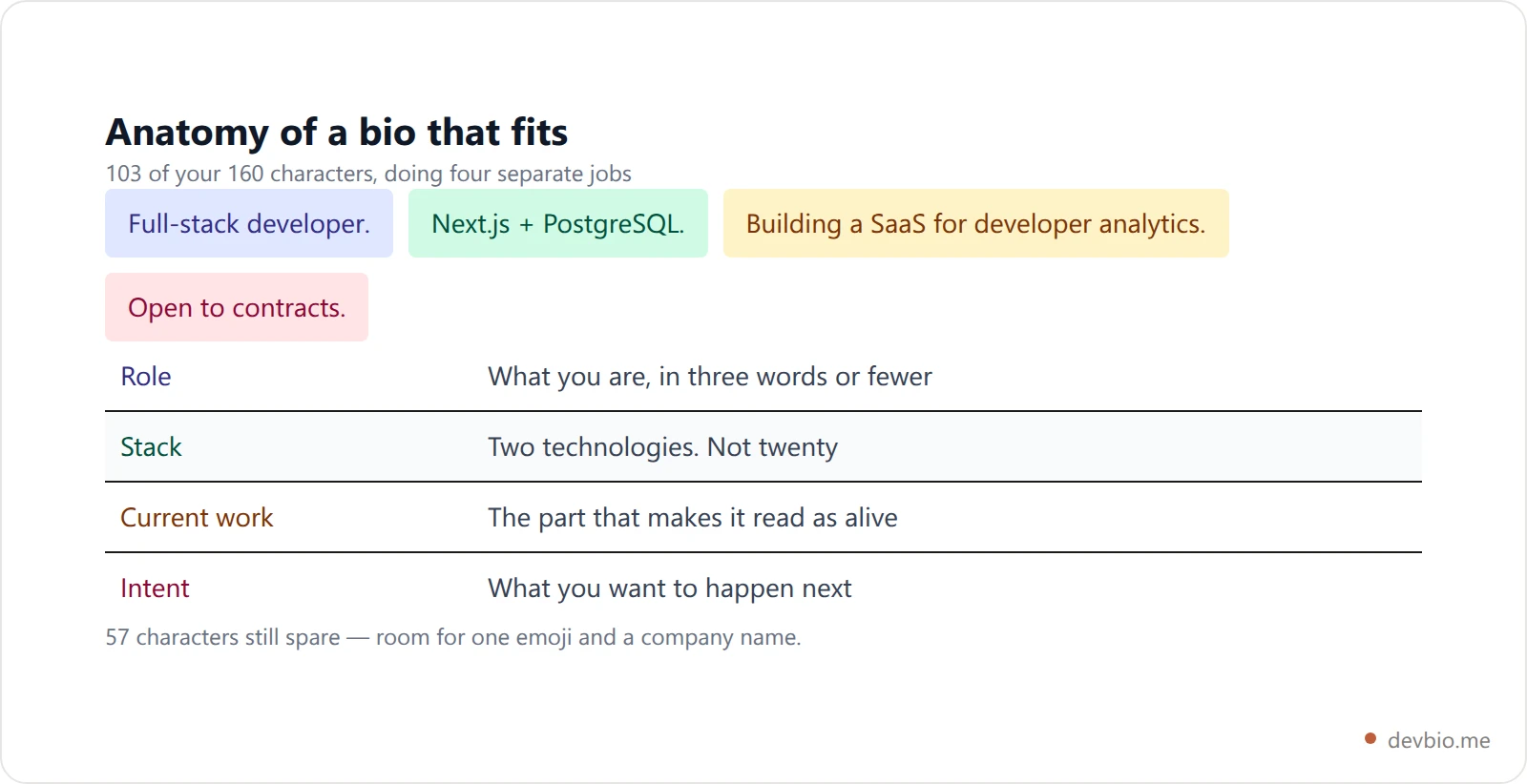
Before and after:
Before: "I'm a passionate full-stack developer who loves building awesome applications using the latest technologies. Always learning something new!"
After: "Full-stack developer. Next.js + PostgreSQL. Building a SaaS for developer analytics. Open to contracts."
The second version has no filler, every word is specific, and it signals clear intent. It also fits comfortably in 160 characters.
One more:
Before: "Junior React developer | JavaScript | HTML | CSS | Python | Java | SQL | Open to work"
After: "Frontend developer. React, TypeScript. Building e-commerce components. Open to junior roles in product-focused teams."
Remove "junior" — your work shows your level. Name two technologies instead of eight. State what you're building. State what you're looking for precisely.
What to Link to from Your GitHub Bio#
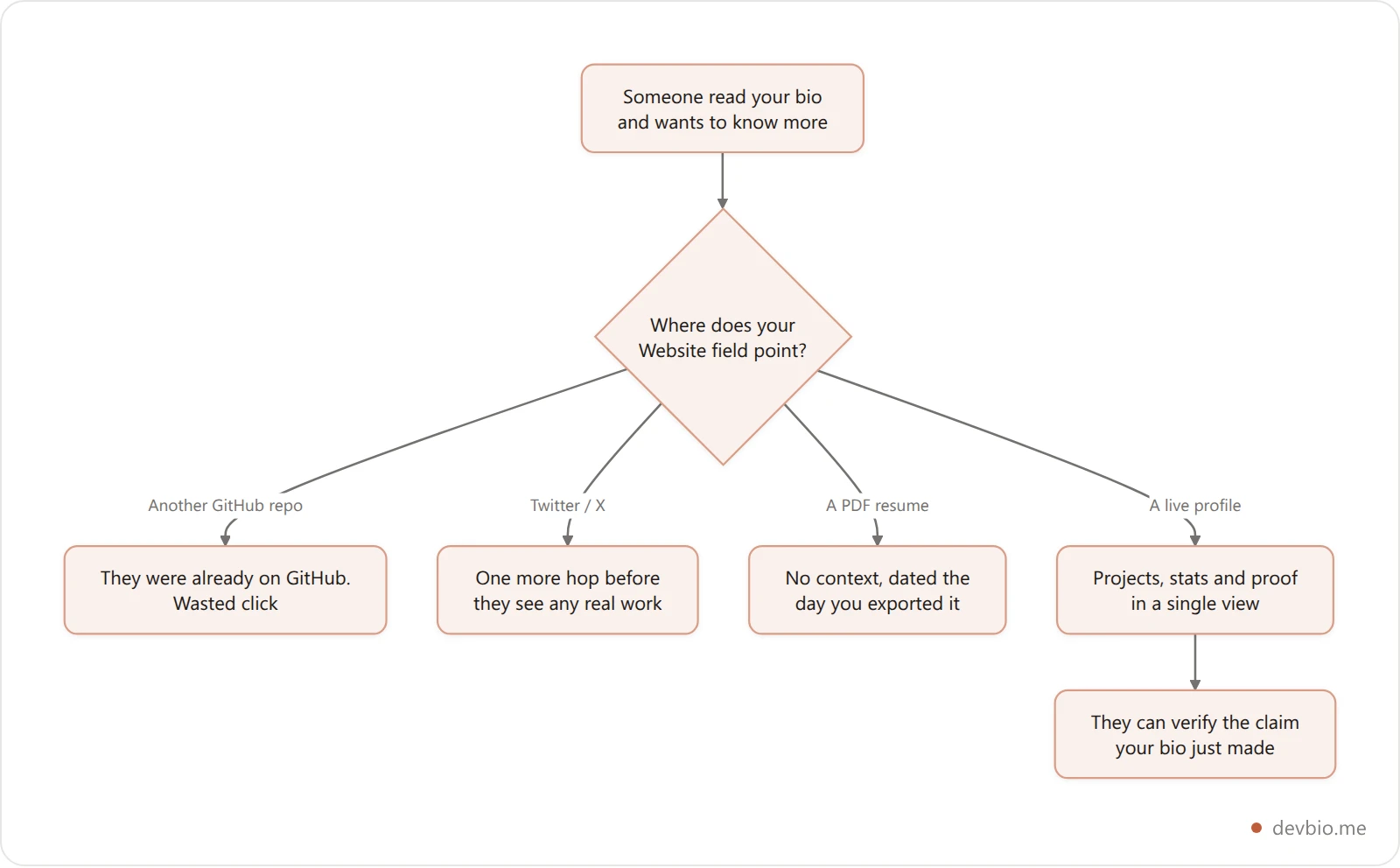
GitHub gives you a separate Website field that sits next to your bio on your profile. Most developers point it at their Twitter/X or a GitHub repo. That's a missed opportunity.
The Website field is your one outbound click. The person who follows it has already decided you're worth a second look. Where you send them determines what happens next.
Don't link to:
Another GitHub repo — they're already on GitHub; use pinned repos for that
Twitter/X — not universal, and it adds a step before anyone sees real work
A raw PDF resume — no context, no live data, immediately dated
Do link to:
A live developer profile that shows your actual work: projects, GitHub stats, and revenue data if you have a product
Something that functions as a business card, a portfolio, and a resume in one click
A page that pulls live GitHub stats and active project data gives anyone clicking from GitHub immediate verified proof instead of a static snapshot. Pair it with a URL that also generates an ATS-ready PDF resume on demand — so the same link works whether you're sending it to a recruiter or a potential collaborator. To understand what components make a developer profile actually useful at a glance, see what to put on a developer bio.
The bio gets them to your door. The link you choose decides whether they come in. For a full comparison of tools for that single outbound click, see the best link-in-bio options for developers in 2026.
GitHub Bio vs. Profile README — Which to Fix First?#
If you haven't touched either: fix the bio first.
The bio shows up everywhere. The README only appears when someone lands directly on your profile page. Recruiters sourcing from GitHub search see your bio before they ever visit your profile. The bio determines whether they click through at all.
Once the bio is solid, the README handles the full story: what you're building, your GitHub contribution history, pinned projects, badges, and stats widgets. The README is for people who already decided to look deeper.
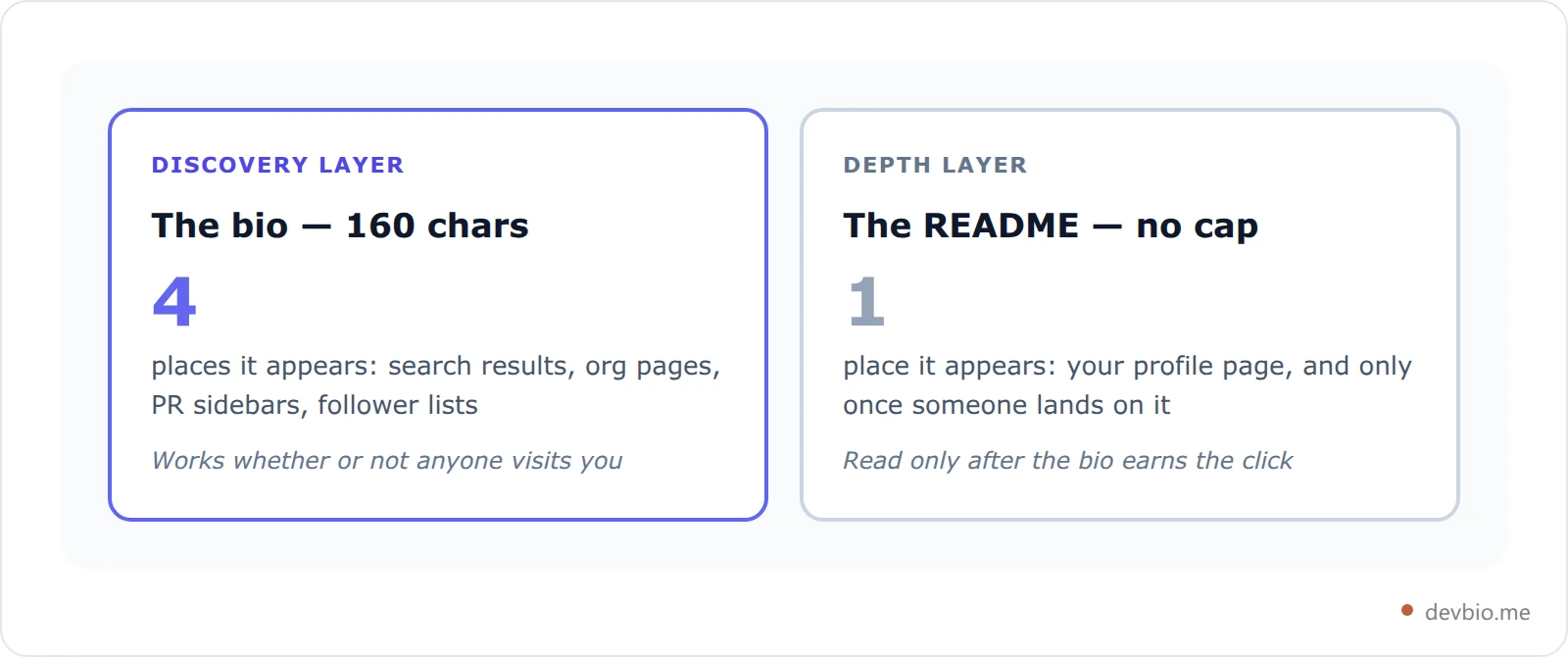
Think of them as two distinct jobs:
Bio: discovery layer. 160 characters that earn the click.
README: depth layer. Everything after the click that builds conviction.
Both matter. If you only have 10 minutes today, fix the bio first. If you find a second ten minutes, spend it on where that one link lands — a devbio profile gives your GitHub profile bio somewhere worth pointing.
For a deeper look at how hiring managers compare the two in practice, see GitHub Profile README vs Developer Bio.
Key Takeaways#
Your GitHub profile bio is 160 characters of plain text and emoji — no markdown, no clickable links, no formatting.
It follows you around GitHub: search results, organization pages, pull request sidebars, follower lists. The README only appears on your profile page.
Write the role, two or three technologies you genuinely work in, and what you're building now. That's the whole formula.
Cut "passionate," cut "junior," and cut the twenty-item stack list — each one describes you less precisely than the work already does.
The Website field is your single clickable link. Point it at live proof rather than another page on GitHub.
Refresh it whenever your role, stack, or active project changes — every three to six months if you're shipping.
Frequently Asked Questions#
What is the character limit for a GitHub profile bio?#
160 characters. That's the hard limit for the bio field that appears under your name on your GitHub profile. It supports plain text and emoji but not markdown, links, or any formatting. You can add a clickable link separately using GitHub's dedicated Website field, which appears right next to your bio. Note that emoji don't always cost one character each — our breakdown of the 160-character limit shows why.
What should I put in my GitHub bio?#
Describe what you build in one or two phrases: your current role, your core stack (two or three technologies), and what you're actively working on right now. Avoid long technology lists and vague adjectives like "passionate" or "enthusiastic." Specific and concrete beats general and aspirational every time. Use the CRAFT framework above as your starting point.
Does my GitHub bio show up in search results?#
Yes. Your bio text is indexed by GitHub's internal search and surfaces your profile when someone searches for a technology or skill. It also appears in Google search results alongside your username. This makes it worth treating as a small but real SEO asset — not just a personal description.
Should I put my location in my GitHub bio?#
Only if location is directly relevant to the opportunities you want — for example, if you're seeking local freelance work or want to signal timezone availability. Otherwise, use the Location field GitHub provides separately and save your 160 characters for what you actually build.
What's the difference between a GitHub bio and a GitHub profile README?#
The bio (160 chars) appears everywhere on GitHub — search results, organization pages, pull request sidebars, follower and following lists. The README is a markdown file that only appears when someone visits your profile page directly. The bio is the hook that earns the visit; the README is the depth layer that builds trust once they arrive.
Can I include a link in my GitHub bio?#
No — the bio field doesn't render clickable links. Use GitHub's Website field instead, which appears right next to your bio on your profile and is fully clickable. That's exactly where your outbound link belongs.
How often should I update my GitHub bio?#
Update it whenever your role, primary stack, or active project changes — roughly every three to six months if you're actively building. A bio that references a project from two years ago or technologies you've moved on from is quietly working against you.
How do recruiters find developers on GitHub?#
Recruiters commonly filter GitHub search by programming language, activity frequency, and location. Your bio text influences where you show up — profiles with specific, keyword-relevant bios surface more often than blank or generic ones. The same logic applies to finding collaborators and open source contributors: specificity is what gets you discovered. For a deeper look at optimizing for job searches, see the guide on developer profile for job search.
Your 160 Characters, Working for You#
Your GitHub bio is the only part of your profile that works passively — in search results, in PR sidebars, on organization pages — without anyone actively visiting your profile. Most developers ignore it. That's exactly why a clean, specific bio is still a fast win in 2026.
The short version of everything above:
Say what you build, not how you feel about building it.
Name two or three technologies. Not ten.
Skip "junior," "passionate," and anything that applies equally to 180 million developers.
Point your Website field at something that shows proof, not just promises.
Your code already does the work. Your bio just has to be specific enough to earn the click.
Put the rest of your story in one link — devbio.me