

You pasted :rocket: into a README, pushed, and GitHub rendered a rocket. You pasted the same line into your docs site and got :rocket: — a word between two colons, sitting in production.
Markdown emoji has no syntax of its own. There is nothing for it in CommonMark, and nothing in GitHub's own GitHub Flavored Markdown spec. Shortcodes like :tada: are a feature of whatever software renders your markdown, not of the format itself. That's why one file gives you a rocket in one place and raw text in another. A literal Unicode character is the only form that travels everywhere.
What's on this page
Does Markdown Have an Emoji Syntax?#
No. Markdown emoji is not part of any markdown specification. CommonMark never mentions it, and neither does GitHub Flavored Markdown. Shortcodes work only because individual renderers choose to implement them, which is why the same file behaves differently in different tools. You can verify every word of that yourself in about a minute.
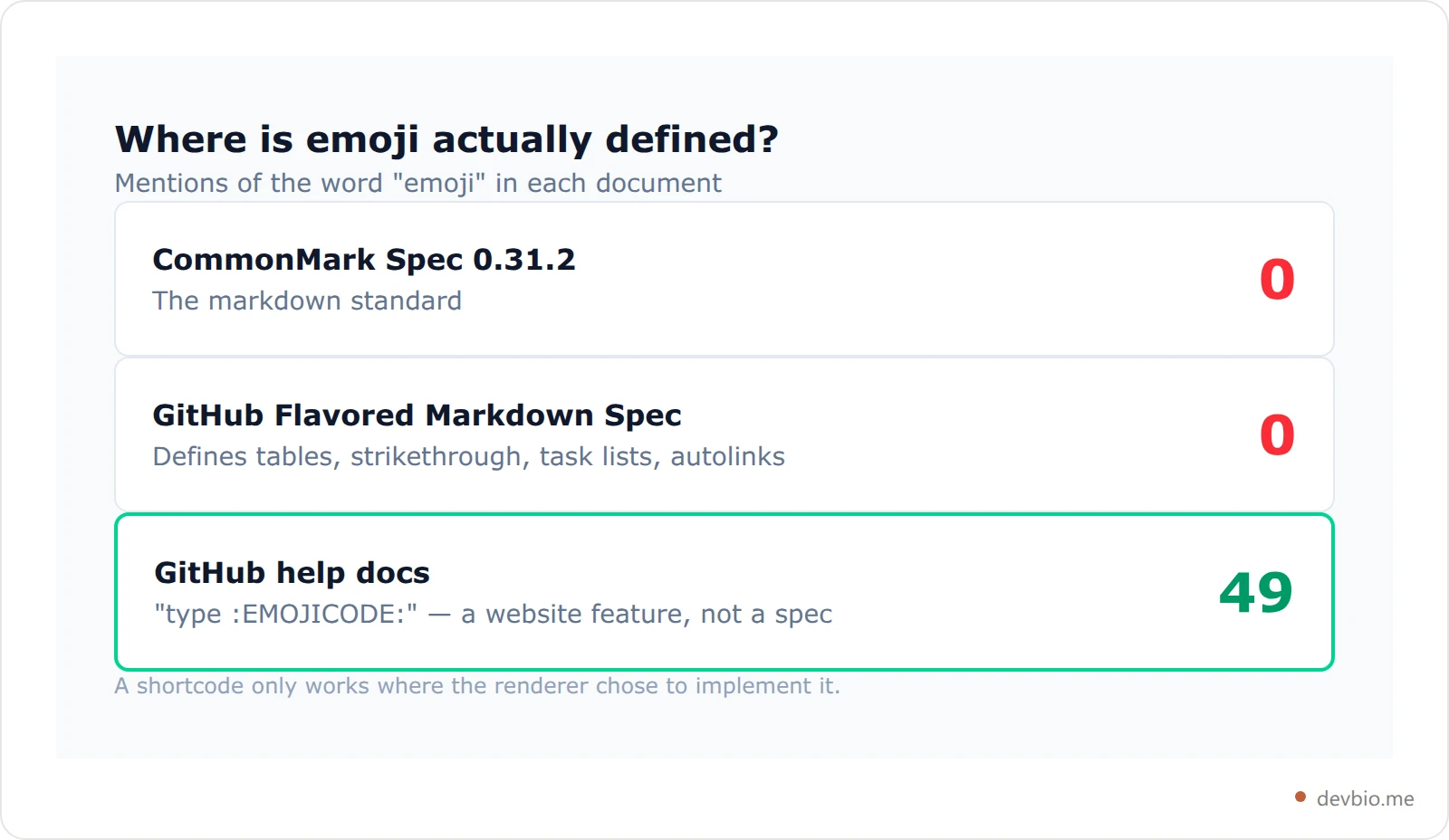
The CommonMark specification is the closest thing markdown has to a standard. Search the full text of version 0.31.2 for the word "emoji" and you get zero matches. Search it for "shortcode" and you get zero matches.
Now the surprising part. GitHub publishes its own spec, the GitHub Flavored Markdown Spec, which documents everything GitHub adds on top of CommonMark. That document defines tables, strikethrough, task lists, and autolinks in detail. Search it for "emoji" and you also get zero matches.
So where does :tada: come from? GitHub's basic writing and formatting syntax help page documents it plainly: "You can add emoji to your writing by typing :EMOJICODE:, a colon followed by the name of the emoji." That page mentions emoji dozens of times.
Read those three documents together and the picture is clear. Emoji shortcodes are a feature of github.com the website, documented in the help centre, and deliberately left out of the spec GitHub asks other tools to implement.
The Two Ways to Write Emoji in Markdown#
There are exactly two, and they behave nothing alike.
A literal Unicode character. You type or paste the actual emoji into the file. The bytes in your .md file are the emoji. Markdown doesn't need to know anything about it — it's just text, the same as the letter "a". Every renderer on earth passes it through.
A shortcode. You type :rocket: and hope the renderer recognises it and swaps in an image or a character. The bytes in your file are a colon, a word, and another colon. If nothing swaps them, that's exactly what your reader sees.
Unicode literal | Shortcode | |
|---|---|---|
What's in the file | The emoji character |
|
Needs renderer support | No | Yes |
Fails as | Nothing — it renders | Visible raw text |
Works in plain | Yes | No |
Searchable by name | No | Yes |
Safe in code comments | Yes | No |
The trade is real, and it's the only honest reason to use markdown emoji codes: :white_check_mark: is greppable and typeable on a keyboard with no emoji picker. A literal character is not. But you pay for that convenience with portability, and most people don't find out until a docs migration.
Where Emoji Shortcodes Actually Render#
This is the part that bites during a migration. Your README works. Your docs site, built from the same repository, doesn't.
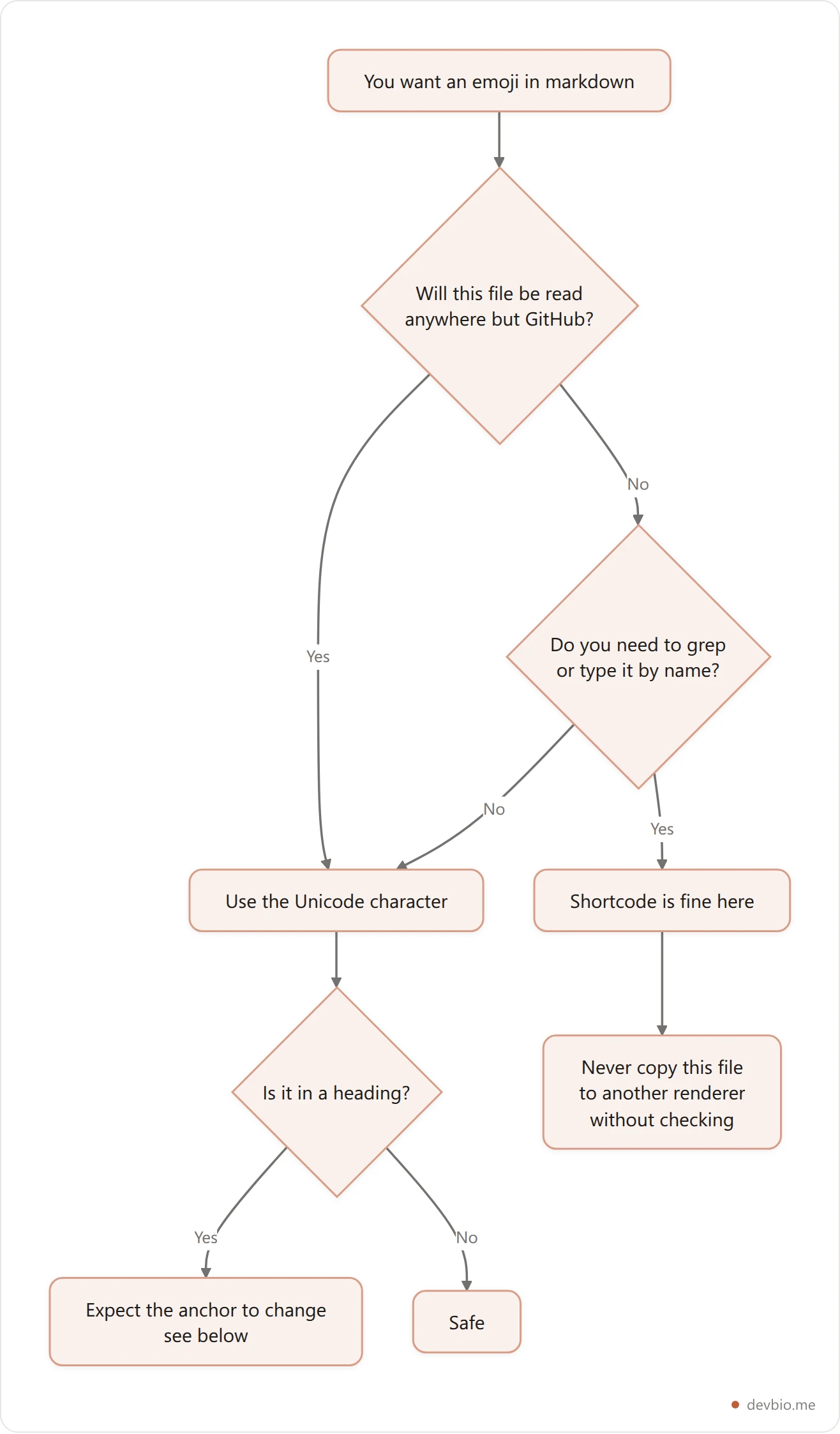
Shortcode support isn't a property of markdown, so it varies per tool and often per plugin:
github.com — supported everywhere markdown renders: READMEs, issues, PRs, comments, releases.
GitLab, Gitea, Discourse, Slack, Mattermost — supported, with their own emoji name lists that don't fully match GitHub's.
VS Code's built-in markdown preview — no shortcode expansion. The preview pane of the editor most developers use shows raw
:tada:.Jekyll — nothing by default. You need the
jemojiplugin, and GitHub Pages only allows it on a specific plugin list.Hugo, MkDocs, Docusaurus — off by default in at least some configurations; each has its own switch or extension to turn on.
npm, PyPI, crates.io — these render your README with their own pipeline. Support is inconsistent and changes without notice.
git log,cat, code review in your terminal — never. It's a text file.
There's a second trap hiding in that list: the names aren't standardised either. GitHub's :shipit: is a GitHub in-joke that exists nowhere else. Slack lets a workspace define custom emoji names that collide with standard ones. So even between two tools that both support shortcodes, the same file can render differently.
The Unicode emoji list is the one naming authority that actually is standardised — and it names characters, not shortcodes.
If you would rather not maintain a wall of hand-written markdown at all, see how devbio builds a profile from your live GitHub data.
The Heading Anchor Bug Nobody Warns You About#
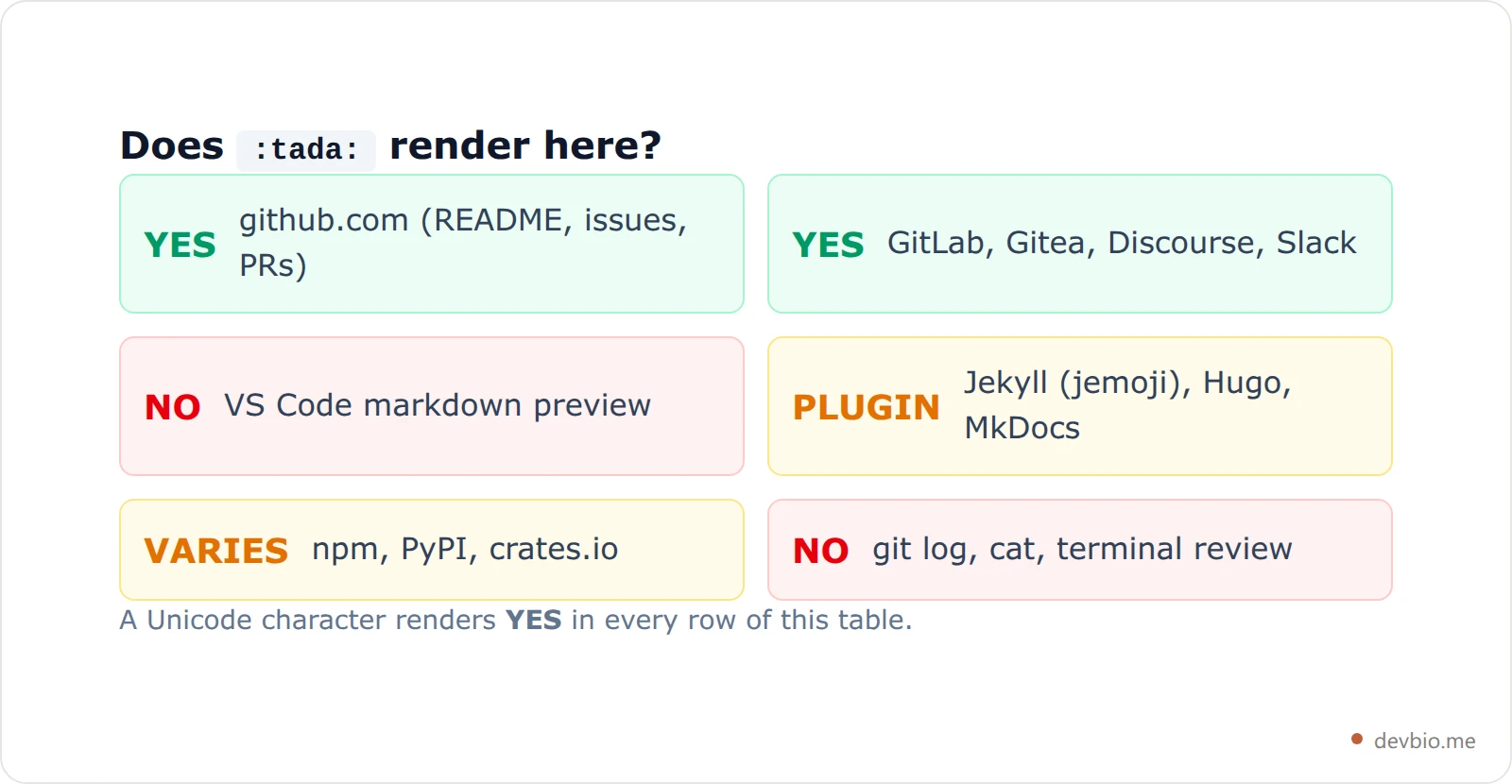
Here's the failure that actually costs you: put an emoji in a heading and you silently change that heading's anchor link.
GitHub builds heading anchors by stripping punctuation and symbols, then replacing spaces with hyphens. Emoji get stripped — but the space next to them doesn't. I ran the open-source github-slugger package, the standard implementation of that algorithm, against real headings. These are its actual outputs:
Heading | Anchor you'd guess | Anchor you actually get |
|---|---|---|
|
|
|
|
|
|
|
|
|
|
|
|
A leading emoji gives you a leading hyphen. An emoji in the middle gives you a double hyphen. Every hand-written table of contents, every cross-file link, every deep link you pasted into Slack points at an anchor that no longer exists — and markdown has no broken-anchor warning. The link just quietly scrolls nowhere.
Emoji are only one of the characters that move an anchor like this. Ampersands, colons and inline code spans each have their own rule: ## Install & Setup resolves to #install--setup, with two hyphens, for much the same reason. Our guide to the markdown table of contents documents the full set, including how repeated headings get numbered.
Then it gets stranger. Many emoji end with an invisible code point called a variation selector (U+FE0F) that tells the renderer to draw the colourful version rather than a monochrome glyph. The slugger strips the visible emoji but keeps the variation selector:
Heading | Resulting anchor | Final code points |
|---|---|---|
| looks like |
|
| looks like |
|
Those two headings look identical in your editor. They produce different anchors, and one of them ends in a character you cannot see, select, or type. If you've ever had a table-of-contents link that worked for a colleague and not for you, this is a strong candidate for why.
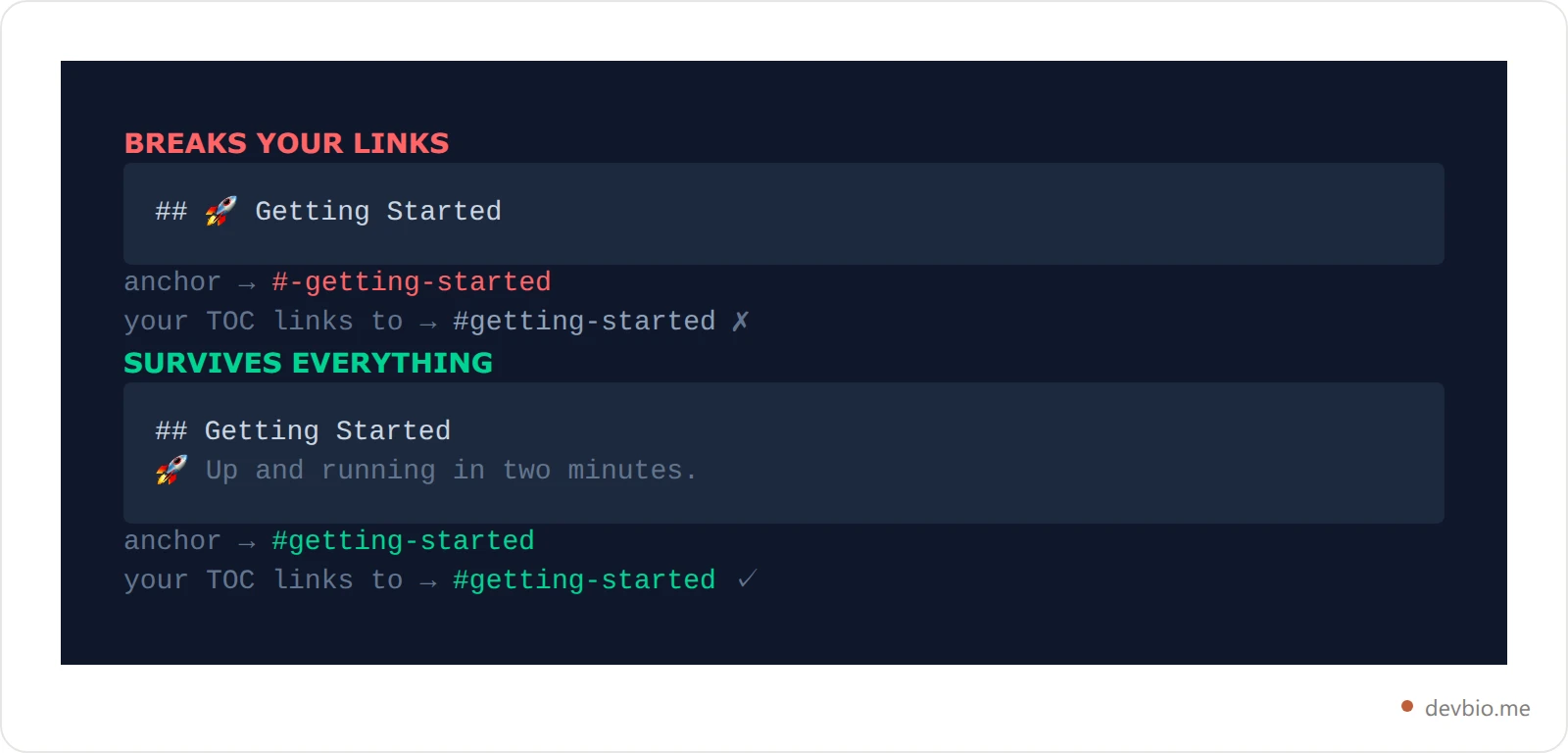
The fix is boring and total: keep emoji out of headings. Put them in the line below.
One Emoji, Seven Code Points#
Ask a developer how long "👨👩👧👦" is and you'll hear "one character." Every system that counts text disagrees, and they disagree with each other.
That family emoji is built by joining four separate people emoji with an invisible zero-width joiner (U+200D) between each pair — a mechanism the Unicode emoji standard (UTS #51) defines. The result is one picture assembled from seven code points.

Read the green bars: that's what JavaScript's String.length returns, because it counts UTF-16 units, not characters. One family emoji costs you 11 of them.
This is why emoji and character limits are a bad pair. A bio field that allows 160 characters might accept 160 letters or roughly 14 family emoji, depending entirely on which of those three numbers the backend counts. It's also why truncation mangles emoji: cut a string at byte 12 of a 25-byte emoji and you get a replacement box, or half a family. If you're working against a fixed budget, our guide to the GitHub bio character limit walks through what actually fits in 160.
Build a profile where the content is structured data, not a character-counting exercise.
What Happens to Emoji in a devbio Bio#
Worth knowing if you write your bio in markdown and expect it to behave like GitHub's.
devbio's About section runs a deliberately tiny inline markdown renderer. It supports exactly three things: **bold**, *italic*, and [text](url) links. Anything else is passed through as plain text, because the surface doesn't justify shipping a full markdown library and raw HTML from user input isn't trusted.
The practical consequences:
Unicode emoji work perfectly. They're just text, and text passes straight through. Paste a rocket, get a rocket.
Shortcodes don't expand. Type
:rocket:in your About section and readers see:rocket:. There's no emoji substitution step to run.
That's the same rule as everywhere else in this article, which is the point: if you standardise on literal characters, you stop having to remember which of your surfaces supports what. The same string works in your README, your bio, your commit messages, and your terminal.
If you're assembling a profile README to go with it, our GitHub profile README templates are written to render identically on GitHub and off it.
Emoji and Screen Readers#
An emoji is not decoration to a screen reader. It's a word, read aloud in full.
🚀 Fast builds is announced as "rocket, Fast builds." That's fine once. A row of six status emoji becomes a six-word preamble before the actual sentence, every single time the user hits that line. The worst offenders are the ones people use as bullet points:
A check mark is announced as "check mark button" — four syllables replacing what a hyphen would do silently.
An arrow becomes "right arrow" on every list item.
A decorative separator row of five stars is read as "star" five times.
The rule that keeps both audiences happy: emoji should add meaning, never carry it. If deleting the emoji loses information, a screen reader user was depending on you naming that information in words. A check mark next to the word "Supported" is fine, because the word is right there. A check mark alone in a table cell is not.
Rules That Survive Every Renderer#
Everything above collapses into a short list:
Default to the literal Unicode character. It renders everywhere, has no plugin, and can't fail visibly.
Never put emoji in headings. It changes the anchor, breaks your table of contents, and can leave an invisible character in the URL.
Use shortcodes only in GitHub-only content — issue comments, PR descriptions, discussions. Not in a README you might publish to npm.
Don't count on character limits. One emoji can cost 11 units in a field that measures in UTF-16.
Keep emoji out of filenames, branch names, and anchors. Different systems normalise them differently, and some don't at all.
Never let an emoji be the only carrier of meaning. Pair it with a word.
Test in the dullest renderer you support, not the prettiest. If it reads fine in
git log, it reads fine everywhere.
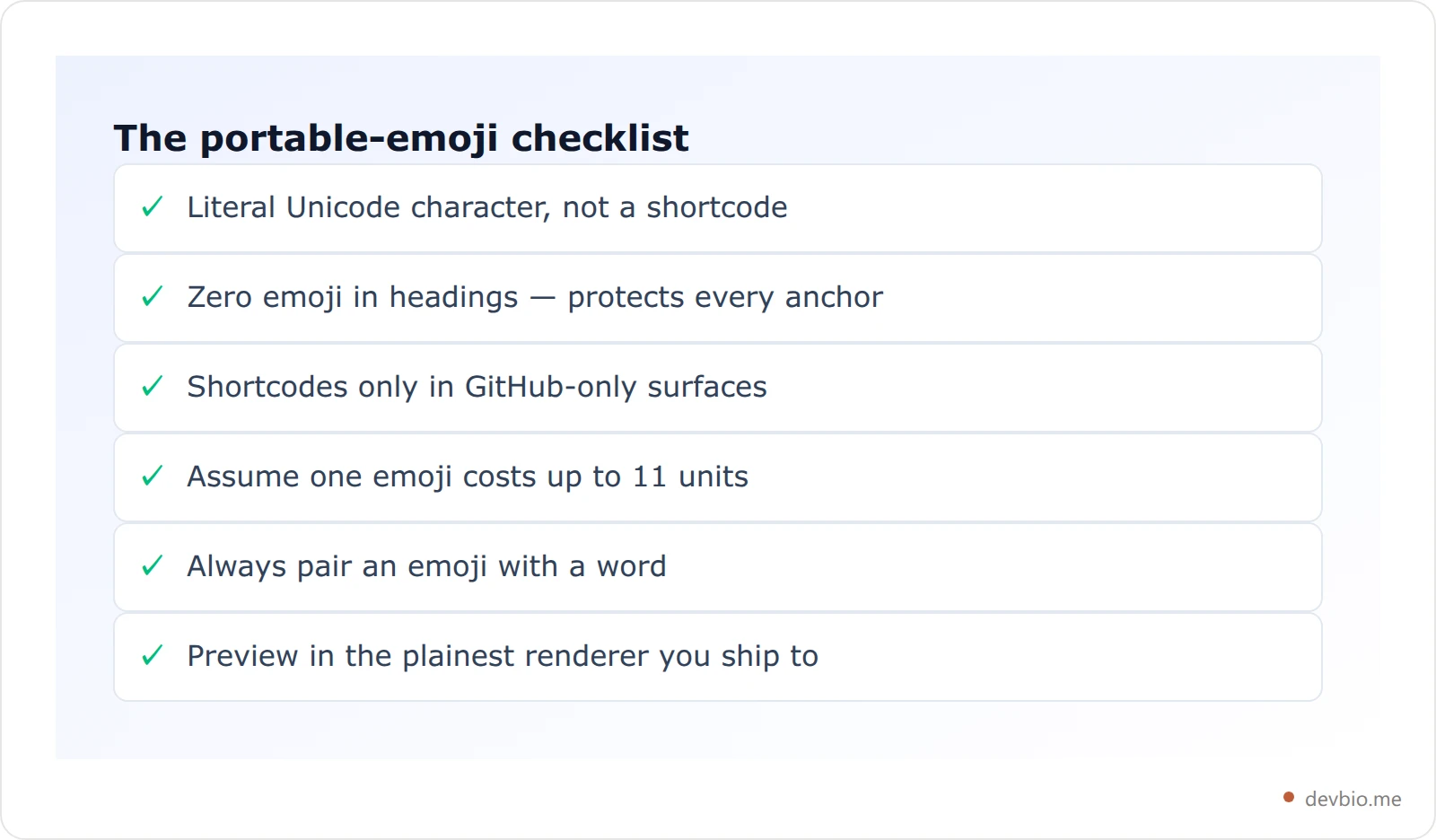
Pin that checklist next to the one decision it depends on: how much of your profile is hand-written markdown in the first place. See what a profile looks like when it's generated from your real activity.
Markdown's other "missing" features follow the same pattern — the syntax you're reaching for often isn't in the spec at all. We've traced the same story through markdown color text and markdown image size, and the answer is usually the same: what works is whatever the renderer already understands.
Frequently Asked Questions#
Why does my emoji shortcode show as plain text?#
Because the renderer you're using doesn't implement shortcodes. Markdown itself has no emoji feature, so :smile: is just text until some specific tool chooses to replace it. VS Code's preview, plain Jekyll, and most terminal tools never do. Replace the shortcode with the literal emoji character and it will render everywhere.
Is there a list of GitHub emoji markdown codes?#
GitHub exposes its supported names through a public emoji endpoint on its REST API, and its help docs describe the :EMOJICODE: pattern. Be aware these names are GitHub's own list, not a standard — :shipit: exists only there, and other platforms maintain different names for the same pictures.
Do emoji break markdown tables or lists?#
They don't break the syntax, but they do break alignment. Most emoji render roughly double the width of a monospace character, so a column padded to line up in your editor will look ragged in the rendered table. Alignment in markdown tables comes from the separator row, not from spacing, so the output is still correct — just don't trust your editor's preview of the widths.
Does putting emoji in a heading hurt SEO?#
Indirectly, and the anchor problem is the bigger risk. Search engines handle emoji in titles fine and may even display them, but the changed anchor silently breaks internal links, and broken internal links do cost you. Keep emoji out of headings and you avoid the whole question.
What's the safest emoji to use in a README?#
Single code point emoji with no variation selector and no skin tone modifier — a rocket, a wrench, a book, a warning sign. They're one code point, they can't leave an invisible character behind, and they render identically across platforms. Skip family groups, flags, and anything with a skin tone: those are the multi-code-point sequences that break counting and truncation.
Should I use emoji in my developer bio at all?#
A couple, doing real work — marking a status or separating sections — read as human. A dozen read as noise, and they eat a character budget that's usually tight. Our write-up on how to write a developer bio covers what earns its space.
Key Takeaways#
Emoji in markdown is one of those topics where the honest answer is shorter than the folklore. The format has no emoji feature. CommonMark doesn't mention it, GitHub's own GFM spec doesn't mention it, and every :tada: you've typed was handled by one particular website being helpful.
That leaves a simple rule. Use the literal character, keep it out of your headings, pair it with a word, and never assume it costs one of anything. Do that and your markdown reads the same on GitHub, in your docs, on npm, and in a terminal — which is the only definition of "working" that survives a migration.
Put your work behind one link that renders everywhere
devbio turns your GitHub activity, projects and live metrics into a developer profile built from structured data — no character counting, no renderer roulette.
Create your devbio profile

