

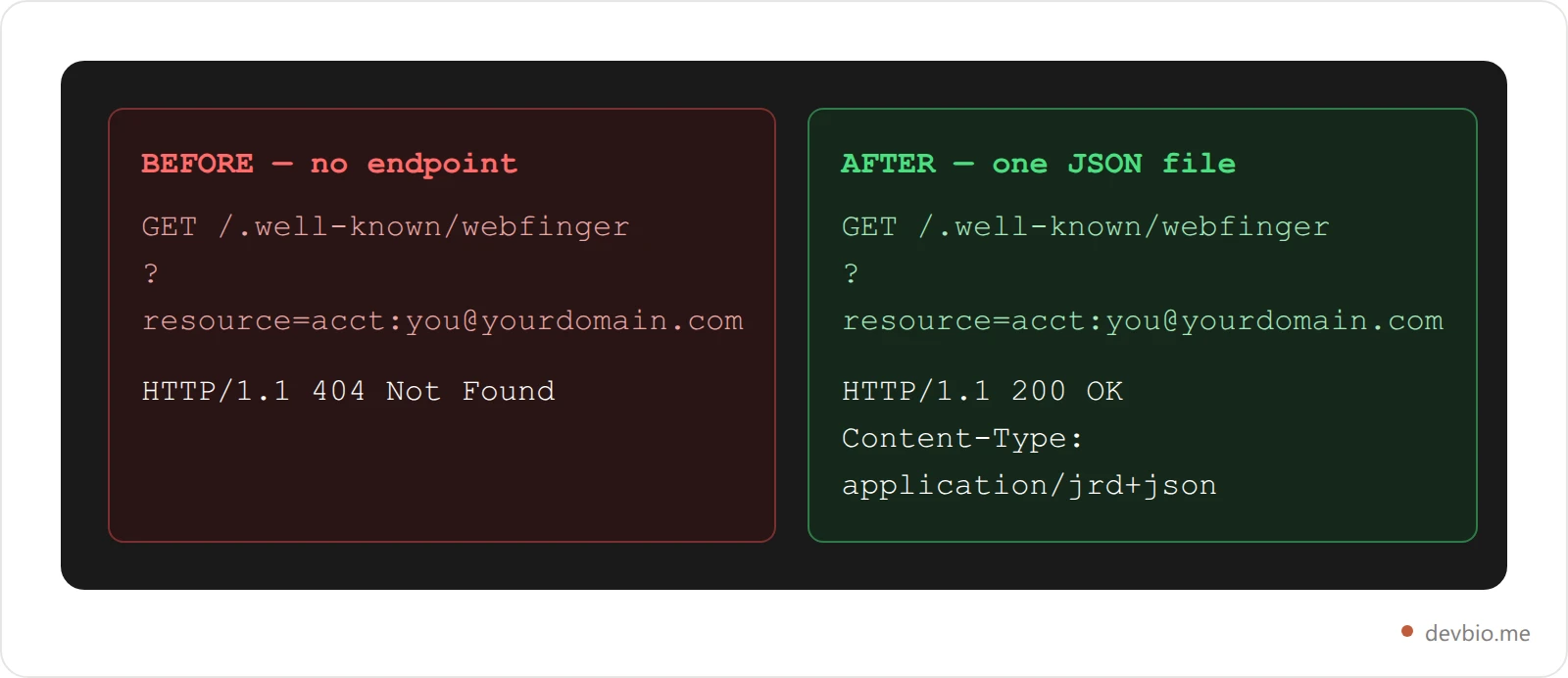
Type @[email protected] into Mastodon's search bar and it resolves instantly. Type @[email protected] and, for most developers, it resolves to nothing. Not because Mastodon can't find you — because your website never told it how.
That's the whole problem in one sentence, and it's fixable with a single JSON file.
WebFinger for developers is a small HTTP protocol (RFC 7033) that lets any domain answer the question "who is this account, and where do their profile, avatar, and links live?" Mastodon uses it for custom-domain handles. IndieWeb tools use a sibling standard, the h-card, for the same job outside the fediverse. Together they turn a personal site from a page a browser renders into an endpoint other software can query. As of August 2026, almost no developer bio, portfolio, or personal site does this — which means almost no developer bio is actually discoverable by the tools built to discover people.
WebFinger for Developers: What the Protocol Actually Does#
WebFinger is an IETF standard (RFC 7033) for discovering information about a person or account from a URI, usually something in the acct:user@domain shape. A client sends a GET request to https://domain.com/.well-known/webfinger?resource=acct:user@domain, and the server answers with a JSON Resource Descriptor (JRD) — a small JSON document listing links: your profile page, your avatar, your rel="me" identity links, and a subscription template for federated apps.
Mastodon, Misskey, and the rest of the ActivityPub fediverse use WebFinger to resolve a handle to an actor. That's the part most people learn about first, usually while trying to set up a "vanity" Mastodon address on their own domain instead of @[email protected]. But WebFinger predates the fediverse boom by over a decade — it's a general people-discovery protocol, and Mastodon is just its most visible current user.
For a developer, the practical upside is narrow but real: your handle becomes portable. You can move Mastodon instances, switch job boards, or rebuild your site on a new stack, and @[email protected] keeps resolving, because the identity lives at your domain, not inside a platform's database. That only pays off if the handle itself is consistent everywhere you show up — worth running a username checker across platforms before you wire up the JSON file. It's the same portability argument behind choosing what actually belongs on a developer bio in the first place — own the data, not just the page it renders on.
The Mastodon Discoverability Problem Nobody Warns You About#
Here's the part most "add a portfolio" checklists skip: a domain with no WebFinger endpoint is functionally invisible to an entire, sizable developer-heavy network. As of Q1–Q2 2026, Mastodon has north of 10.5 million registered accounts and roughly 750,000–1,000,000 monthly active users, and the wider fediverse — Mastodon plus Pixelfed, PeerTube, and friends — has crossed 11 million accounts total. That's not Twitter-scale, but it skews heavily toward the exact audience a developer bio is built for: open-source maintainers, DevRel, infra engineers, and indie hackers who left centralized platforms on purpose.

Every one of those accounts uses WebFinger to resolve a handle. If your domain doesn't answer that request, you're not "hard to find" on the fediverse — you don't exist there at all, no matter how good your bio's SEO is on Google.
The reason almost nobody fixes this isn't difficulty, it's awareness. WebFinger sits at a .well-known path nobody browses to by accident, the failure mode is a silent 404 instead of a visible broken page, and most portfolio-building advice was written before "make sure a federated network can resolve your handle" was a normal sentence. It's a checklist item that doesn't exist on most checklists yet.
How WebFinger Actually Works#
Strip away the spec language and it's three steps:
A client requests
GET /.well-known/webfinger?resource=acct:[email protected].Your server responds with
Content-Type: application/jrd+json.The body lists
rellinks the client can act on — the profile-page relation (http://webfinger.net/rel/profile-page) for your homepage, the avatar relation (http://webfinger.net/rel/avatar) for your photo, and (for Mastodon specifically) a link pointing at your actual account on whatever instance you use. Thoserelvalues are identifiers, not pages you can visit: clients match on the exact string, and nothing is served at that address.
A minimal, hand-rollable response looks like this:
{
  "subject": "acct:[email protected]",
  "aliases": ["https://yourdomain.com/"],
  "links": [
    { "rel": "http://webfinger.net/rel/profile-page", "type": "text/html", "href": "https://yourdomain.com/" },
    { "rel": "http://webfinger.net/rel/avatar", "type": "image/jpeg", "href": "https://yourdomain.com/avatar.jpg" },
    { "rel": "self", "type": "application/activity+json", "href": "https://mastodon.social/users/you" }
  ]
}
Developer and Microsoft engineer Scott Hanselman documented this exact pattern for making @[email protected] resolve without self-hosting a Mastodon server — copy the JRD your Mastodon instance already serves, host a static version of it at your own /.well-known/webfinger, and your custom domain becomes the discoverable handle instead of the instance's (Hanselman, "Use your own user @ domain for Mastodon discoverability with the WebFinger Protocol"). It's a five-minute fix once you know the file needs to exist — the entire problem is that almost nobody knows.
IndieWeb h-cards: The Other Half of a Machine-Readable Identity#
WebFinger solves discovery for the fediverse. It doesn't help IndieAuth logins, feed readers, or webmention tools understand who you are — that's a separate, older, and quieter standard called microformats2, and specifically the h-card.
An h-card is a class="h-card" block of plain HTML that marks up your name, URL, and photo (the IndieWeb-recommended minimum) using standard CSS class names a parser can read without any JavaScript. It's the same job a business card does, except software can parse it: an IndieWeb h-card lets feed readers show your photo next to your posts, IndieAuth-based logins auto-fill your name and avatar, and Webmention/Bridgy tooling uses it to attribute replies back to a real identity. The IndieWeb community — started by Aaron Parecki as an editor of the Webmention and Micropub standards — sums up the philosophy in one line: "We want you to own your identity online."
The practical difference from WebFinger: h-card lives in your HTML (or a JSON export of the same fields), doesn't require a .well-known route, and matters to a different set of consumers — IndieWeb readers and auth tools instead of ActivityPub servers. You want both, because they cover non-overlapping audiences.
The Machine-Readable Identity Stack#
Put WebFinger, h-card, and one more layer together and you get a pattern worth naming, because it's the actual checklist: the machine-readable identity stack. Three layers, three different consumers, one bio.

Layer 1 gets you found by federated social apps. Layer 2 gets you recognized by the open personal-web ecosystem — readers, webmentions, IndieAuth. Layer 3 is newer: structured JSON and a plain-text llms.txt file that let AI agents and coding assistants pull your real project data instead of guessing from rendered HTML (we covered the llms.txt layer specifically in a separate guide). Most personal sites ship none of the three. Shipping all three is what separates a page from an endpoint. Start with a bio that already speaks all three protocols.
What a Fully Wired Developer Bio Looks Like#
This is the part where DevBio is directly relevant, so here's the honest version: every DevBio profile ships all three layers by default, at devbio.me/username, with no config file to write by hand.

A single profile exposes several parallel, machine-readable surfaces alongside the human-readable page:
A WebFinger endpoint that resolves the fediverse
acct:lookup.An h-card JSON export built for IndieWeb tools like Bridgy and Webmention.io.
A full bio JSON feed — every component on the page, resolved, for anyone building on top of it.
A projects JSON feed scoped to just your shipped work, meant to be dropped into another product's "other projects" section.
llms.txt in the plain-markdown format AI coding tools expect.
A vCard (.vcf) download and a QR code, for the offline version of a digital business card that goes with the same identity.
None of that requires touching a .well-known folder yourself. It's also not all-or-nothing: each endpoint can be left open, restricted to specific origins, or gated behind a token, so "machine-readable" doesn't have to mean "scrapeable by anyone." The honest caveat: WebFinger's acct:[email protected] handle only works cleanly on a custom domain you control — on the default devbio.me/username path you get the JSON feeds and h-card immediately, and get the full custom fediverse handle once you point your own domain at your bio. See what your own profile could expose today.
WebFinger vs h-card vs llms.txt vs Open Graph: What Each One Actually Does#
These four get confused constantly because they all sound like "metadata for my site." They solve different problems for different readers.
Standard | Where it lives | Who reads it | What it answers |
|---|---|---|---|
WebFinger |
| Mastodon, ActivityPub servers | "Who is this |
IndieWeb h-card | Inline HTML ( | Feed readers, IndieAuth, Bridgy | "What's this person's canonical name, photo, and URL?" |
llms.txt |
| AI agents, coding assistants | "What is this project/person, summarized for an LLM?" |
Open Graph / |
| Slack, Twitter/X, Discord, iMessage unfurlers | "What should the link preview card look like?" |
None of them replace the others. A page can have excellent Open Graph tags and still be invisible to Mastodon, because unfurl bots and WebFinger clients are different software asking different questions. Structured data of this kind matters beyond parsing convenience, too — sites with properly implemented structured data see measurably more citations from AI answer engines than text-only pages covering the same topic, because the machine-readable layer removes the ambiguity a language model would otherwise have to guess through.
How to Add WebFinger and h-card to Your Own Site#
If you're rolling this by hand on a Next.js, Astro, or static site instead of using a bio builder, the shape is the same everywhere:
Get your source JRD. If you already have a Mastodon account, request the path
/.well-known/webfinger?resource=acct:you@your-instanceon your own instance's domain, and copy the response.Serve it from your own domain. Add a route (or a static file, if your host allows it) at
/.well-known/webfingeronyourdomain.comthat returns that JSON withContent-Type: application/jrd+json, swapping thesubjectandaliasesfields to your domain.Add
**rel="me"**links. Put<a rel="me" href="https://mastodon.social/@you">Mastodon</a>somewhere on your homepage, and the matching link back in your Mastodon profile. This two-way link is what lets Mastodon show a verified checkmark next to your custom-domain link.Mark up an h-card. Wrap your name, photo, and homepage link in
class="h-card",p-name,u-photo, andu-url— the IndieWeb-recommended minimum — so parsers pick it up without extra config.Validate it. Paste your domain into an IndieWebify-style validator, and search your
@[email protected]handle from a Mastodon account to confirm resolution.Decide who else gets to read it. WebFinger, h-card, and any JSON export you add are public by default the moment they exist. That's usually fine — it's the same information as your homepage, just in a format a script can parse. If you'd rather not have it freely scraped, gate it behind a checked
Origin/Refererheader or a query-string token before you publish the route, the same way you'd protect any other read API.
One nuance worth flagging before you ship this by hand: a WebFinger response and a Mastodon profile have to agree with each other in both directions, or the "verified" checkmark won't show. The rel="me" link on your homepage has to point at your exact Mastodon profile URL, and your Mastodon profile's link field has to point back at your exact homepage URL — protocol trailing slashes and www. prefixes count as different URLs to the verifier, so copy them exactly rather than retyping them.
Copy-paste checklist for the whole stack:
/.well-known/webfingerreturns a valid JRD for your handlerel="me"links point both directions (your site → Mastodon, Mastodon → your site)An
h-cardblock exists on your homepage with at minimum name, photo, and URL/llms.txtexists and summarizes who you are and what you've shippedA JSON export of your profile exists somewhere a script could actually fetch it
Everything above is served from a domain you control, not a subdomain you could lose
Or skip all six steps — every DevBio profile ships this checklist pre-checked.
Does Any of This Help Your SEO or AI Visibility?#
Indirectly, yes — but be precise about the mechanism. WebFinger for developers isn't an SEO lever on its own: neither it nor h-card moves your Google ranking, because Google doesn't consume either format. What they do is close the gap between "a human can read my site" and "software built to identify people can read my site," which matters more every year as more traffic-adjacent surfaces are non-human. GitHub alone added 36 million new developers in 2025 and crossed 180 million total, with 81.5% of contributions now happening in private repositories — meaning a public profile page is doing more identity-proving work than ever, because the commit graph itself is increasingly invisible.

llms.txt adoption tells a similar, more honest story: only about 10% of domains have shipped one so far, and major AI crawlers mostly still crawl rendered HTML instead of fetching it directly — it's a hedge for the tools that do respect it (coding assistants, IDE plugins) rather than a guaranteed AI Overview citation today. WebFinger and h-card are the same kind of bet: low effort, close to zero downside, and the payoff compounds as more of the software that looks people up gets built to expect a machine-readable layer instead of scraped HTML.
Think about it from the consumer side instead of the publisher side for a second. A recruiter's sourcing tool, an AI coding agent doing due diligence on a potential collaborator, or a Mastodon user searching for you by handle are all, mechanically, doing the same thing: sending a request and hoping something structured comes back instead of a wall of rendered HTML they'd have to guess-parse. Every layer of the identity stack you skip is one more of those lookups that quietly fails. None of them fail loudly enough for you to notice — which is exactly why they stay unfixed for years on most personal sites.
FAQ#
What is WebFinger and why does it matter for developers?#
WebFinger (RFC 7033) is a protocol that lets a domain answer "who is this acct: handle, and where's their profile?" over HTTPS. For developers, it's what makes a custom-domain Mastodon handle like @[email protected] resolve instead of 404ing, which matters because Mastodon's user base skews heavily toward the open-source and infra crowd.
How do I make my personal website discoverable on Mastodon?#
Add a route at /.well-known/webfinger on your domain that returns a JSON Resource Descriptor with Content-Type: application/jrd+json, pointing at your actual Mastodon account. That is the whole of a WebFinger Mastodon custom domain setup. Then add reciprocal rel="me" links between your site and your Mastodon profile to get the verified-link checkmark.
What's the difference between WebFinger and an h-card?#
WebFinger is a server-side JSON endpoint read by fediverse software (Mastodon, ActivityPub). An h-card is HTML markup on your homepage read by IndieWeb tools like feed readers, IndieAuth logins, and Bridgy. They serve different consumers and you generally want both, not one instead of the other.
Do I need to run a Mastodon server to use WebFinger?#
No. You can copy the JRD response your existing Mastodon instance already serves and host a static or dynamically generated version of it on your own domain's /.well-known/webfinger path — no self-hosted Mastodon instance required.
What is llms.txt and how does it relate to WebFinger?#
llms.txt is a plain-markdown file at /llms.txt meant to summarize a site for AI agents and coding assistants, similar in spirit to robots.txt. It solves a different problem than WebFinger (AI agent discovery vs. fediverse identity resolution) but belongs to the same idea: give machines a direct, structured answer instead of making them scrape your HTML.
Does adding these protocols help my SEO or AI Overview visibility?#
Not directly — Google doesn't parse WebFinger or h-card. What they do is make you legible to non-search discovery paths (fediverse search, IndieWeb tooling, AI agents that fetch structured data) that are growing as a share of how developers get discovered, separate from classic organic search.
Can I add WebFinger to a static site with no backend?#
Yes, if your host supports serving a static file at an exact path. Generate the JSON once, save it as a static file at /.well-known/webfinger, and set the response Content-Type header to application/jrd+json if your host lets you configure per-file headers.
Is IndieWeb only useful for bloggers, or does it matter for developers too?#
It's agnostic to what you publish. The h-card, rel-me verification, and IndieAuth login flow all work the same whether your site is a blog, a portfolio, or a project changelog — the standard cares about who owns the domain, not what content type sits on it.
Your Bio Is an Endpoint, Not Just a Page#
Three things to take from this: WebFinger is a five-minute fix that makes your custom domain resolvable to 10.5 million Mastodon accounts instead of 404ing. An h-card covers the separate IndieWeb audience WebFinger doesn't touch. And both are part of a larger shift — public identity signals are doing more work as GitHub crosses 180 million developers with 81.5% of contributions now private, and as more of the software looking you up is a script instead of a person clicking a link.
None of it requires becoming a protocol nerd. Your code already proves you can build. Put it on one link that's already wired for Mastodon, IndieWeb, and AI agents — devbio.me.


